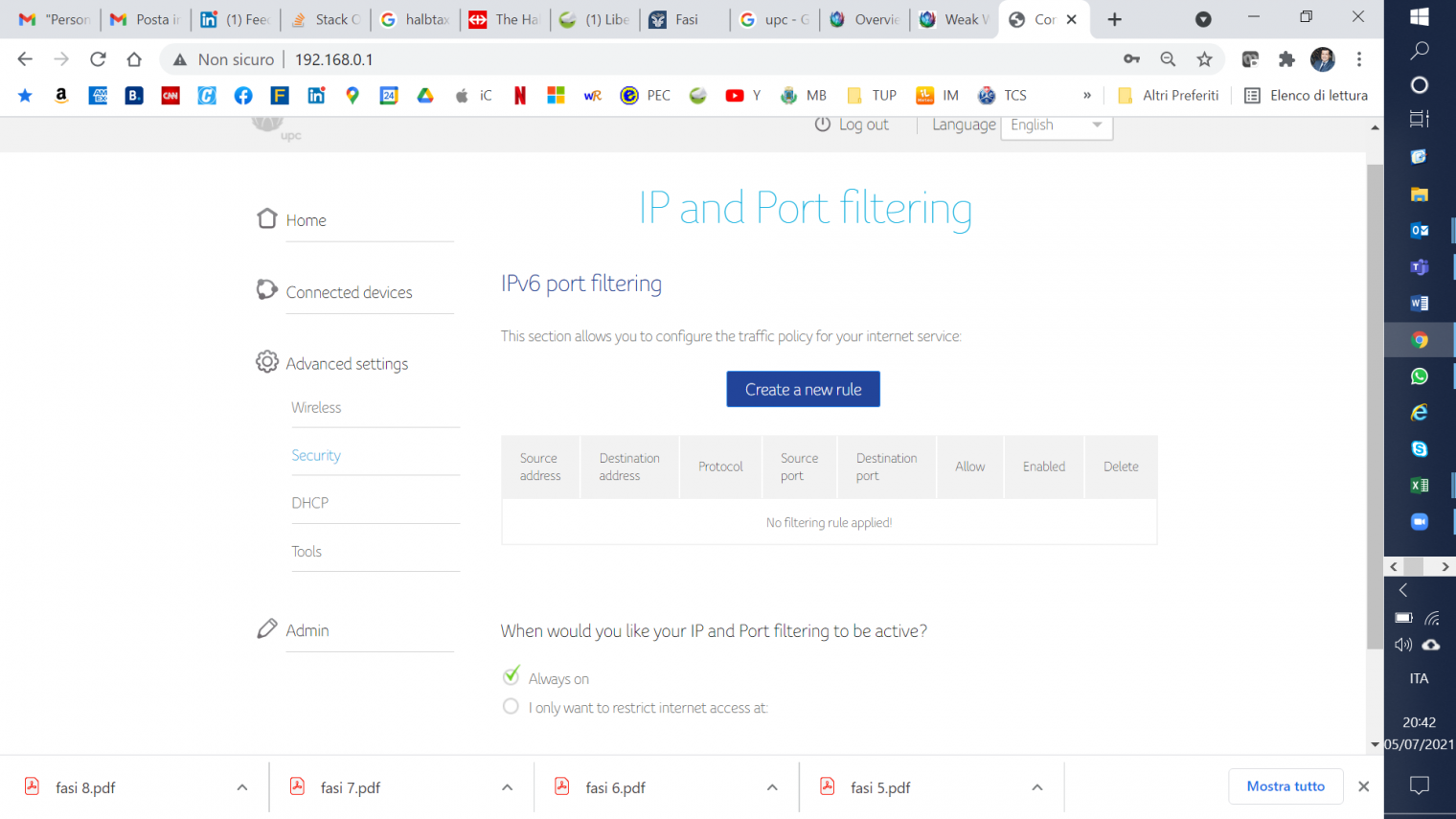
GC9437_69 I do not have that option on my connect box. See contents below for Wifi security settings. See attached file Jpeg
Daniele_Sunrise @GC9437_69 , Please change the WIFI security in the modem settings from “WPA-WPA 2 Personal” to “WPA 2 Personal”. After that the message disappears. Greetings Daniele
brama692 hallo there, I have the same problem, weak security, and neither the app nor the modem settings shows the functionality to change settings in to “personal”. help please
Daniele_Sunrise brama692 Welcome to the community! If you look at the picture right above, what do you have set in the red marked area under Security? What can you set there? Greetings Daniele
brama692 thanks Daniele, as I said, neither the app nor the modem shows the functionality/menu to change WPA the “security” setting area. only allows MAC list setting.
Daniele_Sunrise brama692 I have turned off the WIFI channel optimization. Can you please try it again? If it doesn’t work, can you please post a picture of your modem’s settings page? Greetings Daniele
Daniele_Sunrise adrianlondon Your steps are correct! 😊 brama692 , can you please take a screenshot of the correct page? Greetings Daniele
adrianlondon Daniele’s pic shows Advanced Settings / Wireless / Security. You’ve opened Advanced Settings / Security. Wrong page.